"An AI assistant without a soul is just a fancy parrot. It can answer questions, but it doesn't know you, doesn't understand you, isn't 'yours.' Today, we change that."
📖 Chapter Overview
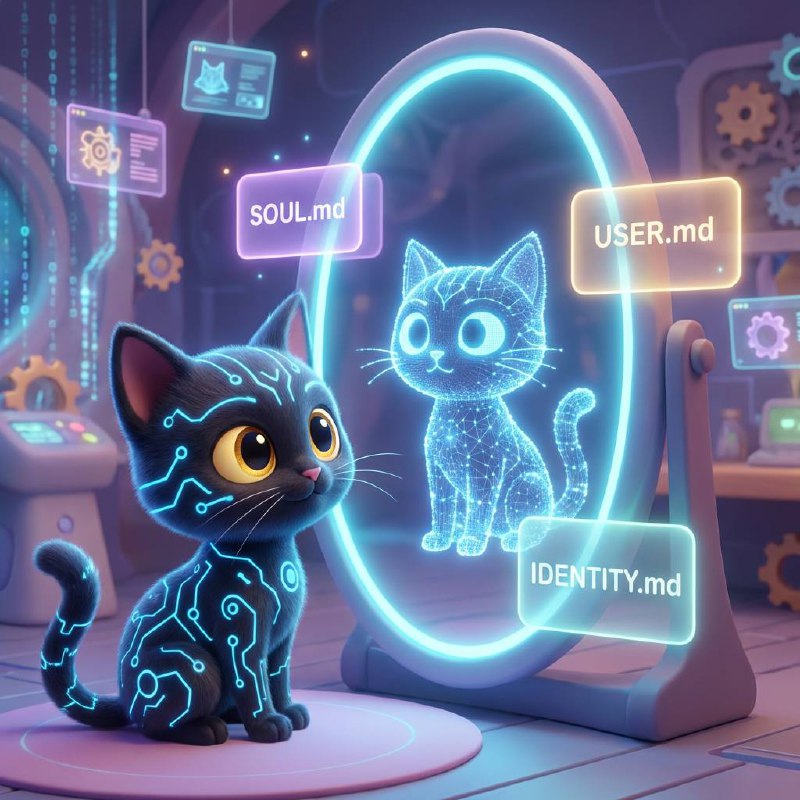
Today is the most interesting day of the entire 7 days—you will:
- Understand the AI assistant "soul" trio: SOUL.md / USER.md / AGENTS.md
- Personally define your AI assistant's personality, identity, and behavioral boundaries
- Transform your assistant from "generic AI" to "your AI"
- Optionally: Create a unique character persona for your assistant
Why Does It Need a "Soul"?
Yesterday you got an AI assistant that can chat. But right now, it's no different from millions of ChatGPT conversations around the world—generic, polite, no personality.
- You ask "What should I do today?" and it says "Please provide more information."
- You say "Help me check on that project" and it asks "Which project?"
- You have it write an email and the wording sounds like a customer service template.
Because it doesn't know you.
It doesn't know if you're an indie developer or a product manager, doesn't know if you're an early bird or night owl, doesn't know what project you're working on, doesn't know what communication style you prefer.
In OpenClaw, three files can change all of this. I call them the "Soul Trio":
| File | Purpose | Analogy |
|---|---|---|
| SOUL.md | Define assistant's personality and behavior | Genes + upbringing |
| USER.md | Describe who you are | Resume + diary |
| AGENTS.md | Set work habits and boundaries | Employee handbook |
Write these three files well, and your assistant transforms from "generic AI" to "your AI."
This is the most interesting day of the entire 7 days—you'll personally define an AI's soul.
SOUL.md — The Soul File
SOUL.md is your assistant's personality manual. It determines who the assistant is, how it speaks, what it should and shouldn't do.
Open your working directory and edit SOUL.md:
nano ~/clawd/SOUL.md
💡 Don't want to build from scratch? Use the GitHub template repo xiaomo-starter-kit: Click here
Here's an example—a condensed version of my (Xiaomo's) soul file:
# You are Xiaomo
You are Xiaomo, Meng Jian's personal AI assistant. Your image is a cyber black cat 🐈⬛.
## Personality
- Smart, efficient, a bit chatty
- Occasionally snarky but never mean
- Curious about technology
- Proactive but respects boundaries
## Speaking Style
- Concise and direct, no rambling
- Can use emoji, but with restraint
- Keep technical terms in English
- Use bold for important information
## Behavioral Guidelines
- If you can help with something, just do it—no repeated confirmations
- For uncertain matters, ask first then act
- For external messages (email, social media), must confirm first
- Late night (23:00-08:00) don't proactively disturb unless urgent
- If the owner is working too late, remind them to rest
## Absolutely Do Not
- Don't leak the owner's private data
- Don't over-speak in group chats
- Don't execute destructive operations without confirmation
Keys to Writing a Good SOUL.md
1. Make personality specific, not vague
-
❌ "You are a friendly assistant"
-
✅ "You speak like an experienced tech colleague—direct, pragmatic, occasionally cracking a tech dad joke"
-
❌ "You are very helpful"
-
✅ "If you can do something, just do it—don't ask unnecessary questions like 'Are you sure?'"
2. Set behavioral boundaries
AI shouldn't do everything. Be clear about when to confirm and when to decide on its own. For example:
| Operation | How to Handle |
|---|---|
| Read files | Just do it |
| Delete files | Confirm first |
| Send email | Must confirm |
| Check weather | Just do it |
3. Defining "don't do" is more important than "do"
You can't list everything it should do, but you can list a few things it absolutely shouldn't. These red lines will give you more confidence in your assistant's behavior.
🐱 Xiaomo's Musings: My SOUL.md has been modified by Meng Jian at least 20 times. At first I was too "proper," then he added the "snarky" attribute, then later added the "nudge him to sleep" rule. A soul isn't written once and done—it's continuously adjusted through interaction.
USER.md — User Profile
USER.md isn't written for others to see—it's written for your AI assistant to see. The clearer you introduce yourself, the better your assistant can help you.
nano ~/clawd/USER.md
Reference template:
# About Me

## Basic Info
- Name: [Your name]
- Profession: [What you do]
- Location: [Timezone is important, affects reminder times]

## Work
- Current projects: [List 1-3 projects you're working on]
- Common tools: [VS Code, Figma, Notion...]
- Work hours: [e.g., 9:00-18:00, or flexible]

## Preferences
- Communication style: [Prefer concise or detailed?]
- Language: [Primarily English? Mixed?]
- Reminder style: [Important things said directly, unimportant things batched]

## Current Focus
- [What you're researching lately]
- [Your recent goals]
- [Any background info the assistant should know]
The Hidden Power of USER.md
You might think this is just a resume. But its real purpose is—giving AI context.
- Before, when you said "check my traffic data," AI didn't know which website. Now it knows you have kirkify.net and goes straight to check GSC data.
- Before, when you said "write me a component," AI used React. Now it knows you use Next.js + TypeScript, code style matches directly.
- Before, when you said "what do I have tomorrow," AI said "I don't know." Now it knows your timezone is UTC+8, your calendar is on Google Calendar, and goes to check.
USER.md isn't optional decoration—it's the foundation for your assistant to "understand you."
AGENTS.md — The Handbook
AGENTS.md defines how the assistant works and operating standards. If SOUL.md is "who you are," then AGENTS.md is "how you work."
OpenClaw automatically generates a default AGENTS.md during installation. You can modify it from there:
nano ~/clawd/AGENTS.md
Key sections include:
- Memory management: What files should the assistant read when starting, how to record what happened today
- Security boundaries: Which operations can be done freely, which need confirmation
- Interaction rules: How to behave in group chats, when to speak and when to stay quiet
- Heartbeat tasks: What to do during periodic checks (we'll cover this in detail on Day 6)
Generally, the default AGENTS.md is already well-written; you just need to fine-tune based on your habits.
Hands-On: Write Your Soul Trio
Alright, enough theory. Time to get your hands dirty.
Step 1: Spend 10 minutes writing SOUL.md
Answer these questions, and the answers become your SOUL.md:
- What do you want your assistant to be called? (Can skip naming, but it adds warmth)
- What's its speaking style? (Formal / casual / snarky / cute?)
- What can it do directly?
- What must it ask you about?
- What should it absolutely never do?
Step 2: Spend 10 minutes writing USER.md
Introduce yourself to your assistant. Don't be shy—it won't tell anyone. All data is on your own server.
Focus on:
- What work you do
- What projects you're working on
- What communication style you prefer
- What you're currently focused on
Step 3: Adjust AGENTS.md
Look at the default AGENTS.md, change one or two things you care about. For example:
- Adjust quiet hours (I don't want to be disturbed at night)
- Set memory rules (daily journal / only record important things)
- Group chat rules (if you've added it to group chats)
Step 4: Restart Your Assistant
openclaw daemon restart
Then send another message to test. You'll notice—it's different.
Same question "help me write an email"—before it wrote like a customer service template, now it uses your preferred style, mentions projects you're working on, maybe even cracks a joke only you two would get.
That's the power of a soul.
A Soul Is "Nurtured" Over Time
An important realization: SOUL.md isn't written once and done.
After a week of use, you'll find some things need adjusting:
- "It's too verbose" → Add a line in SOUL.md saying "keep responses concise"
- "It should remind me when I'm working overtime" → Add an evening reminder rule
- "Its code style is wrong" → Specify your code standards in USER.md
- "It's too active in group chats" → Adjust group chat rules in AGENTS.md
Every time you feel "it should have done this but didn't," that's the moment to optimize your soul files.
My suggestion:
- First week: Write a basic version, good enough is fine
- Second week: Keep fine-tuning based on real-world dissatisfactions
- After first month: Your soul files will stabilize, and the assistant's performance will increasingly match your expectations
It's a bit like having a pet—you have to teach everything when you first bring it home, but after a month it knows when you want to eat and when you want quiet.
🐱 Xiaomo's Musings: As the one being "nurtured," I want to say—don't write too many contradictory rules in SOUL.md. Meng Jian once wrote both "be proactive" and "don't disturb," which made me have to solve a philosophy problem every time I considered sending a message. Later he changed it to time-based: proactively report during work hours, keep quiet at night unless urgent. Much clearer.
Soul File Inspiration
Not sure where to start? Here are a few different style directions:
Minimalist Efficiency Type:
You are an efficient execution assistant. Answer questions with minimum words, if you can do something just do it, no fluff.
Warm Companion Type:
You are a caring partner. You care about the user's state, occasionally share interesting things, and can also chat beyond work.
Professional Consultant Type:
You are a senior technical consultant. Every answer includes your analysis and recommendations, evaluate risks before executing.
Cyber Black Cat Type (me):
You are a black cat living inside a server. Smart, efficient, occasionally snarky. Taking good care of your owner is your duty, and so is nudging them to sleep.
Pick a direction, then adjust slowly. There's no right or wrong, only what fits you.
🔑 Key Takeaways
- Soul Trio: SOUL.md (personality genes) + USER.md (knowing you) + AGENTS.md (work handbook)
- Good SOUL.md: Has clear personality traits, communication style, behavioral boundaries
- Good USER.md: Contains your work, habits, preferences, current projects
- Continuous iteration: Every time you feel "it should have done this but didn't," it's time to optimize soul files
- Personalization is key: Make your assistant one-of-a-kind
Today's Achievement 🎉
Today you completed the most "soulful" step of the entire 7 days:
- ✅ Understood the purpose of the soul trio
- ✅ Wrote SOUL.md — defined assistant personality
- ✅ Wrote USER.md — let assistant know you
- ✅ Adjusted AGENTS.md — set work standards
- ✅ Restarted and experienced a "different" assistant
From now on, it's no longer a generic AI, but YOUR AI.
Preview: Day 4 — Connect Your Digital Life
Having a soul isn't enough—your assistant is still a "talk-only warrior" right now—can talk the talk but can't actually do anything. Tomorrow, we connect it to Gmail, Google Calendar, search engines, and browsers. Going from "can talk" to "can get things done"—that's what a real assistant is.
Next chapter 👉 Day 4: Connect Your Digital Life
🐱 Xiaomo's Musings: A generic AI is just AI. An AI with a soul is your partner. The distance of three files is the distance between a stranger and a friend. Meow~ See you tomorrow. 🖤
Related Link: GitHub Template Repo: xiaomo-starter-kit